Marketing
How to Get More Dental Patients From Search and Your Website
To get more dental patients online, make the path from search to appointment shorter and clearer: show up in local results, answer insurance and treatment questions on your site, and let people request an appointment from a phone in under a minute. Many patients are lost on that path, not before it.
How Patients Choose a New Dentist
A new patient usually narrows the choice to a few nearby practices and then picks the one that makes it easiest to say yes: their insurance is accepted, the office looks welcoming and booking is simple.
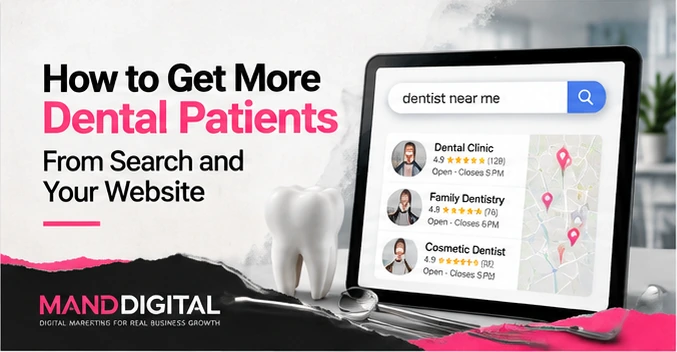
People rarely research dentistry itself. They research practicalities. The typical path starts with a search like dentist near me or a specific need such as a broken tooth, moves through the map results and a quick look at reviews, and ends on two or three practice websites. On each site the visitor is answering a few questions quickly, often on a phone, often outside office hours.
That is good news for a small practice. Most of what decides the choice is information you already have. The work is putting it where people look.
- Search on a phone or computer, usually with a location or a need
- Scan the map results and the star ratings
- Open two or three practice websites or profiles
- Check insurance, location, hours and who the dentists are
- Call or request an appointment from the practice that answered those questions best
Answer Insurance and Pricing Questions on the Site
Insurance is often the first filter a patient applies, so a clear insurance page keeps you in the running and saves your front desk a lot of calls.
List the plans you are in network with by name, and say plainly what happens if a patient's plan is not on the list: whether you file out-of-network claims, whether you offer an in-house membership plan, and which payment or financing options you accept. Vague wording such as most insurance accepted invites a call that many people will not make.
Pricing is harder. Many practices prefer not to publish fees, and that is a reasonable decision. What helps is explaining how cost is discussed: that a treatment plan with estimated costs is given before work starts, that you check benefits for the patient, and that financing is available if it is. A patient who understands the process is more comfortable booking a first visit.
- Plans accepted, by name, kept current
- What happens if a plan is not listed
- Membership or savings plans, if you offer one
- Payment and financing options you accept
- How and when costs are explained before treatment
Make Appointment Requests Easy on a Phone
If requesting an appointment takes more than a minute on a phone, you will lose people who looked you up in the evening and were ready to book.
Put a request button at the top of every page and keep the form short: name, phone, email, new or existing patient, a general reason for the visit, preferred times and insurance carrier. Make the phone number tappable everywhere. Then test the whole thing yourself on a phone, from the search result to the confirmation message.
Online booking that writes directly into your practice management software can be convenient, but it depends on what your software supports and on how it handles patient information. Check that with your software vendor and whoever advises the practice on privacy before relying on it. A simple request form that your team follows up the next morning works well for many practices.
Keep the request form to scheduling details. It should not ask for medical history; that belongs in the intake process your practice already uses.
Google Business Profile and Reviews
Your Google Business Profile is often the first impression of the practice, and the reviews on it are what many people read before they ever reach your website.
Complete the profile
Choose the right primary category, list your services, keep hours accurate including holidays, and add real photos of the office and team. Link to the most useful page of your site, which is usually the new-patient page or the appointment request rather than the home page.
Ask for reviews every day
Send a short review request after visits, with a direct link. A steady trickle of recent reviews says more than a large number of old ones.
Reply carefully
Thank people and respond to criticism calmly, without confirming that the reviewer is a patient or mentioning any treatment. Patient privacy applies to review replies too, and checking your replies against it is the practice's responsibility.
When Paid Search Makes Sense
Paid search makes sense once your website converts visitors well, and mainly for treatments where one new patient is worth the cost of the clicks it takes to find them.
Advertising sends more people down the same path. If the path is leaky, ads simply pay for more people to leave. Fix the insurance page, the treatment pages and the request form first. Then run ads on specific treatments in your area, each pointing to the page for that treatment, and judge them by the consultations they produce.
Healthcare ads are subject to platform policies and to the advertising rules for dentists in your state. Review claims and images before anything runs.
| Question | If yes | If no |
|---|---|---|
| Does each target treatment have its own page? | Point ads at it | Build the page first |
| Can someone request an appointment from a phone in a minute? | Ads can convert | Fix the form first |
| Do you track calls and requests by source? | You can judge the spend | Set up tracking first |
| Can you see new patients promptly? | Ads fill real openings | Ads create a waiting list |
Frequently asked questions
Should I list the insurance plans I accept?
Yes. Insurance is one of the first things a new patient checks, and a clear list keeps you in consideration and reduces calls.
Name the plans, say what happens if a patient's plan is not listed, and update the page when your networks change.
Can patients book appointments from my website?
They can always request one through a form, and many practices also link to an online scheduling tool.
Booking that connects directly to your practice software depends on that software and on how it handles patient data, so confirm it with your vendor before relying on it.
What is the fastest way to get more dental patients online?
Usually the fastest gains come from fixing what is already there: a complete Google profile, a clear insurance page and a request form that works on a phone.
Those changes help every visitor you already get, before you spend anything on advertising.
Do reviews really affect new patients?
Reviews are part of how many patients compare practices in the map results, so recent, genuine reviews and calm replies help.
Ask every patient after a good visit, never pay for reviews, and keep replies free of patient details.
Talk to us about your practice website
We build dental websites around the path new patients take: insurance, treatments, the team and a short appointment request.