Planning
Restaurant Website Layout: What Guests Look For First
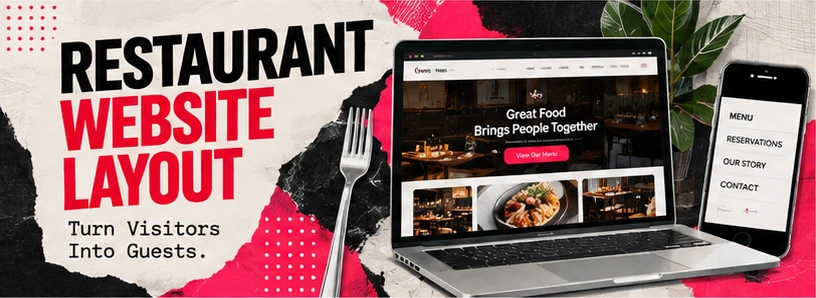
A good restaurant website layout answers five questions without making anyone search: what you serve, where you are, when you are open, how to book or order, and what it looks like. Put those on the first screen of a phone, and give the menu its own readable page.
The Five Things Guests Check in the First Seconds
Guests open a restaurant website with a short list of questions. A layout that answers them on the first screen, in this order, does most of its job before anyone scrolls.
Everything else on the home page, such as your story, events or private dining, belongs below that first screen. It still matters, but nobody reads the story of the chef before knowing whether you are open.
- What kind of food is this, and does it look good? A clear line about the cuisine and one strong photo.
- Where is it? The neighborhood or street, with a link to directions.
- Is it open now, or tonight? Today's hours, not just a weekly table at the bottom.
- Can I see the menu? A direct link to a menu page that opens instantly.
- Can I book or order? A button for each, if you offer them.
Hours, Location and Parking
Treat the practical details as content, not as small print. A guest deciding whether to drive over needs them before anything else.
- Hours for each day, plus kitchen closing time if it differs from the door
- Holiday hours and closures, updated before the holiday rather than after
- The full address with a link that opens directions on a phone
- Parking, transit and where the entrance is if it is not obvious
- Accessibility details: step-free entry, restrooms, seating
- A phone number that can be tapped to call
Keep these details identical to your Google Business Profile and other listings. When they disagree, guests and search engines both lose confidence in all of them.
Reservations and Online Ordering Links
Put booking and ordering where a guest will look for them: in the header, on the first screen and at the end of the menu page. Each should take one tap.
Reservations
If you use a reservation platform, link straight to your booking page on it or embed its widget if the platform supports that. Say how far ahead people can book, how large a party you take online and how to arrange anything bigger.
Online ordering
If you take orders directly, link to your ordering page from the menu. If you also appear on delivery apps, decide which option you want to promote first and make that the obvious button, with the others secondary.
Private events and catering
Large parties and catering are worth their own page with a short request form: date, number of guests, type of event and a contact. These requests are often worth more than a single booking and deserve more than an email address in the footer.
Photos That Help People Decide
Use recent photographs of your own food, room and people at work. Guests use photos to judge portions, atmosphere and whether the place suits the occasion.
- Signature dishes, shot in daylight, the way they are actually plated
- The dining room both empty and busy, so people can picture the evening
- The bar, patio or private room if guests can book them
- The kitchen or team at work, if that is part of your story
Avoid stock photos of food you do not serve. A guest who orders the dish in the picture and receives something different remembers it.
Mobile Layout and Speed
Many guests look at a restaurant website on a phone, often outside or on the way. The layout has to work one-handed on a slow connection.
Layout
- Menu, hours, directions and booking reachable from the first screen
- Buttons large enough to tap with a thumb
- Text at a readable size without zooming
- No pop-ups covering the menu as the page loads
Speed
- Photos compressed and sized for phones
- No autoplaying background video on mobile
- The menu page loads without waiting for a large file
- Tested on a real phone over a mobile connection
Frequently asked questions
What should a restaurant website have?
A clear line about what you serve, a text menu page, hours, location with directions, a phone number, and links to book or order if you offer them.
After those, add photos of your food and room, a page for private events or catering, and a short about page. Everything else is optional.
Should I build my restaurant website with a template?
A template can work if you have time to set it up and keep it current, and if it lets you publish the menu as text rather than only as a PDF.
The trade-off is that you do the writing, photography choices and updates yourself. Our guide on website builders and agencies covers that decision in more detail.
Where should online ordering live on a restaurant website?
In the header and next to the menu, as a button that opens your ordering page in one tap.
If you use more than one ordering service, choose one to feature first so guests are not left comparing options.
How many pages does a restaurant website need?
Often only a handful: home, menu, location and hours, and private events or catering, plus one page per location if you have several.
Add pages when they answer a real question guests ask, not to make the site look bigger.
Have the layout planned with you
We design restaurant websites around the menu, hours, location and the booking and ordering links you already use, laid out for the phone first.